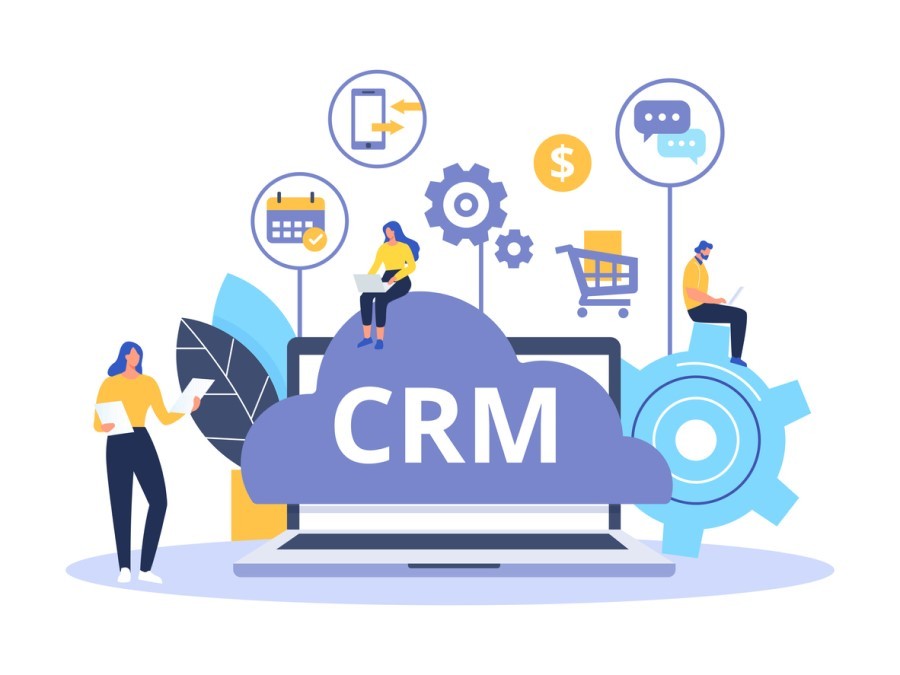
Customer Relationship Management (CRM) systems are structured technological frameworks designed to centralise, streamline, and enhance the management of customer interactions across an organisation. At its core, it integrates customer data—such as contact information, interaction history, and purchase patterns—into a unified platform accessible across departments.
From a technical perspective, CRM systems leverage databases, cloud infrastructure, and machine learning algorithms to provide actionable insights into customer behaviour. These insights empower businesses to optimise sales, marketing, and customer support workflows by automating repetitive tasks like lead tracking and follow-ups while providing real-time data analytics.
A Customer Relationship Management system is necessary because it can address critical pain points in customer management, such as fragmented data storage, inefficiencies in service delivery, and a lack of predictive capabilities. For example, a sales team can use CRM tools to segment leads based on predefined criteria like industry or purchase intent, automating targeted engagement. On the other hand, customer service teams benefit from access to a complete log of customer interactions, enabling faster resolution times and consistent communication.
Types of CRM Systems
CRM systems can be categorised based on deployment models, feature sets, and intended use cases. Understanding these distinctions is crucial for selecting a solution that aligns with a business’s specific operational needs.
Below is a technical breakdown of the primary types of Customer Relationship Management Systems:
Operational CRMs
Operational CRMs are tailored to streamline day-to-day customer-facing processes, such as sales automation, marketing workflows, and customer service management. These systems prioritise efficiency and are often equipped with tools for task automation, lead scoring, and service ticket management. Businesses focused on improving internal workflows and reducing manual input usually gravitate toward this category.
Analytical CRMs
Designed for data-heavy environments, analytical CRMs focus on advanced reporting, data mining, and customer insights. These systems utilise machine learning algorithms and statistical models to interpret customer behaviour, identify trends, and forecast future actions. Enterprises seeking to leverage big data for strategic decision-making benefit from the robust capabilities of analytical CRMs.
Collaborative CRMs
Collaboration-focused Customer RMs aim to enhance communication and information sharing across departments. They unify data from sales, marketing, and support teams to ensure a seamless customer journey. These systems are particularly valuable for organisations with dispersed teams or complex customer lifecycles.
Deployment Options
- On-Premise CRM: Installed on local servers, these systems offer maximum control over data and customisation but require significant IT resources for maintenance and upgrades.
- Cloud-Based CRMs: These solutions, accessible via the Internet, provide scalability and remote access, making them ideal for businesses seeking flexibility and reduced infrastructure costs.
- Hybrid CRMs: Combining on-premise and cloud elements, hybrid CRMs cater to businesses requiring a mix of control and accessibility.
Open-Source vs. Proprietary CRMs
Open-source Customer Relationship Management systems, such as SuiteCRM or OroCRM, offer extensive customisation and cost savings but require technical expertise for implementation. Proprietary CRMs, like Salesforce or Microsoft Dynamics 365, deliver out-of-the-box features and comprehensive support at a higher cost, making them suitable for enterprises with larger budgets.
The choice between these types depends on business size, industry-specific needs, and long-term scalability. Selecting the right CRM ensures optimal resource utilisation, seamless integration, and alignment with strategic objectives.
Key Features to Look for in a Customer Relationship Management System
Selecting the right CRM system hinges on understanding its core functionalities and assessing how they align with your business objectives. Below is a detailed exploration of the essential features that define a high-performance CRM system:
Centralised Customer Data Management
At the heart of any Customer Relationship Management system lies a strong database that stores and organises customer information, including contact details, interaction history, purchase records, and preferences. This centralisation ensures that all departments operate with consistent and up-to-date information, eliminating data silos and redundancies.
Sales Automation
A well-equipped CRM automates repetitive tasks within the sales pipeline, such as lead assignment, follow-up reminders, and opportunity tracking. Advanced systems provide deal insights, probability scoring, and pipeline visualisation to improve sales forecasting and performance.
Marketing Automation
Modern CRMs integrate with marketing tools to streamline campaign management, email automation, and audience segmentation. Features like A/B testing, drip campaigns, and behavioural tracking allow businesses to execute targeted marketing strategies precisely.
Customer Service Management
A comprehensive CRM supports ticketing systems, real-time chat, and omnichannel communication, enabling faster and more efficient resolution of customer queries. Self-service portals and knowledge bases enhance the customer experience by empowering users to find solutions independently.
5. Analytics and Reporting
Customer Relationship systems should offer advanced analytics to track KPIs like customer acquisition costs, lifetime value, and churn rates. Dashboards and customisable reports provide actionable insights, helping businesses effectively refine their strategies and allocate resources.
Workflow Automation
A key benefit of a CRM is streamlining internal processes. Workflow automation tools reduce manual intervention in tasks such as approvals, data entry, and communication triggers, increasing efficiency and reducing errors.
Scalability and Customisation
As businesses grow, so do their operational requirements. A scalable CRM supports expansion by accommodating larger datasets and additional users. Customisation capabilities, such as modular add-ons and tailor-made workflows, ensure the system evolves alongside the organisation.
Mobile Accessibility
With remote work and mobility becoming the norm, CRM systems must offer mobile applications with secure access to critical data. This feature enables teams to manage tasks, update records, and communicate with customers on the go.
Integration with Third-Party Applications
A sound CRM system integrates with other business tools like ERP systems, email platforms, and e-commerce solutions. APIs and pre-built connectors enhance operational cohesion, enabling businesses to unify disparate systems.
Security and Compliance
Given the sensitive nature of customer data, CRM systems must adhere to stringent security protocols and compliance standards such as GDPR or HIPAA. Features like role-based access controls, data encryption, and regular audits ensure data integrity and protection.
Evaluating CRM Scalability and Customization
When implementing a CRM system, scalability and customisation are critical factors determining its long-term value and adaptability to evolving business requirements. Below is a technical analysis of how these considerations impact CRM selection and deployment.
Scalability: Supporting Growth Without Disruption
A scalable CRM system accommodates increased workloads, users, and functionalities as a business grows. Key indicators of scalability include:
- User Expansion: Adding more users without compromising system performance. Cloud-based CRMs typically excel in this area due to their elastic infrastructure.
- Data Volume Handling: As the customer base grows, we will support larger datasets, such as customer records and transaction histories.
- Advanced Functionalities: Expansion to include additional modules (e.g., AI-driven analytics or e-commerce integrations) without requiring a complete system overhaul.
For example, small businesses might initially require basic sales tracking, but as they expand, they may need complex sales forecasting and marketing automation tools. A scalable CRM seamlessly integrates these advanced capabilities without significant downtime.
Customisation: Adapting to Unique Business Workflows
Off-the-shelf CRMs rarely align perfectly with an organisation’s unique operational needs. Customisation ensures the CRM fits specific business workflows, industry standards, and regional requirements. Examples of customisation include:
- Tailored Dashboards and Reports: Modify dashboards to display KPIs relevant to specific roles, such as sales performance for managers or service response times for support teams.
- Custom Fields and Data Models: Add custom fields to track industry-specific data, such as compliance information for healthcare or project milestones for construction firms.
- Workflow Automation: Define unique workflows for lead nurturing, order processing, or contract renewal reminders.
Balancing Scalability and Customization
While scalability and customisation are desirable, they can sometimes conflict. Excessive customisation might hinder scalability if the system becomes overly complex or resource-intensive. Conversely, focusing solely on scalability can result in a rigid system that fails to address nuanced operational needs. Businesses must balance these priorities by choosing CRMs that offer modular designs, enabling customisation within a scalable framework.
Integration Capabilities
A Customer Relationship Management system is most effective when it seamlessly integrates with a business’s broader ecosystem of tools and technologies. Integration capabilities determine how well the CRM can unify data streams, automate workflows, and support cross-functional collaboration. Below is an in-depth exploration of the technical aspects of CRM integrations.
Native Integrations vs. API-Based Integrations
CRM systems typically offer two primary types of integration methods:
- Native Integrations: Prebuilt connections to popular tools such as email platforms (e.g., Gmail, Outlook), marketing automation systems (e.g., Mailchimp, HubSpot), and enterprise resource planning (ERP) solutions. These integrations are designed for ease of use and require minimal setup.
- API-Based Integrations: Application Programming Interfaces (APIs) enable developers to create custom integrations for businesses with unique requirements or niche tools. This approach is more flexible but requires technical expertise.
Essential Integrations for Business Efficiency
Modern businesses often rely on a variety of tools to manage operations. A robust CRM should support integration with the following systems to maximise its utility:
- Email and Communication Platforms: Sync email conversations and calendar events to maintain a unified record of customer interactions.
- Marketing Automation Tools: Enable seamless campaign management, lead scoring, and customer segmentation.
- Accounting and ERP Systems: Streamline invoicing, inventory management, and financial reporting by syncing customer and transaction data.
- E-Commerce Platforms: Sync order history, track customer preferences, and personalise the shopping experience for online businesses.
- Customer Support Tools: Integrate with helpdesk software to track tickets, monitor service levels, and provide a 360-degree view of customer support interactions.
Data Synchronisation and Interoperability
Integration is not just about connecting tools but also about ensuring that data flows seamlessly between systems. Effective CRM integrations provide:
- Real-Time Synchronisation: Ensure updates made in one system reflect immediately in others, reducing manual data entry and errors.
- Bidirectional Data Flow: Allow data to be updated from the CRM or the integrated tool, ensuring consistency across platforms.
- Unified Data Models: Standardise data formats across systems to prevent compatibility issues and maintain data integrity.
Overcoming Integration Challenges
Integration projects can face obstacles like mismatched data formats, API limitations, or security concerns. To address these challenges, businesses should:
- Evaluate the CRM’s documentation and support for integrations.
- Test integrations in sandbox environments before full deployment.
- Prioritise CRMs with robust security features like encrypted data transfer and role-based access controls.
Future-Proofing Through Scalability
As businesses adopt new tools or scale operations, the CRM’s integration ecosystem must remain adaptable. Selecting a CRM with a vigorous marketplace of prebuilt integrations and an open API architecture ensures compatibility with future systems.
Cost Considerations
Choosing the right Customer Relationship Management system involves more than evaluating features and functionality; it also requires a thorough analysis of costs to ensure a favourable return on investment (ROI). CRM costs vary widely depending on deployment type, feature set, and scalability. Below is a detailed breakdown of cost considerations:
Pricing Models
CRM providers typically offer one of the following pricing models:
- Subscription-Based Pricing: Most cloud-based CRMs use a recurring subscription model, charging monthly per user. This model is predictable and suitable for businesses seeking lower upfront costs.
- Perpetual Licensing: On-premise CRMs often require a one-time software license purchase. While the initial investment is higher, it eliminates ongoing subscription fees.
- Freemium Models: Some CRMs, particularly open-source solutions, offer free tiers with limited functionality, allowing businesses to scale up as needed.
Hidden Costs
Beyond the advertised price, businesses should account for potential hidden costs, such as:
- Implementation Costs: Includes initial setup, data migration, and customisation expenses.
- Training and Support: Costs associated with onboarding employees and accessing premium support services.
- Third-Party Integrations: Additional fees for connecting the CRM with other software tools.
- Maintenance and Upgrades: Ongoing maintenance and periodic upgrades can incur significant expenses for on-premise solutions.
Total Cost of Ownership (TCO)
The TCO provides a comprehensive view of CRM expenses over its lifecycle. It encompasses direct costs (licensing and subscriptions) and indirect costs (downtime during implementation or inefficiencies due to inadequate features). Calculating TCO ensures that businesses fully understand the financial commitment involved.
Othware Uganda’s role in customising Customer Relationship Management system Solutions for Ugandan Businesses
Implementing a CRM system is not a one-size-fits-all process, particularly for businesses operating in unique environments like Uganda. Othware specialises in delivering CRM solutions that align with local workflows, industry-specific requirements, and regional operational challenges. Here’s how Othware stands out as a partner in CRM customisation and integration:
Localised Customization
Othware ensures that CRM solutions are tailored to the specific needs of Ugandan businesses, addressing unique aspects such as:
- Regulatory Compliance: Integration of features to adhere to local financial and data protection regulations.
- Cultural Relevance: Adapting CRM interfaces and workflows to resonate with regional business practices and customer interaction styles.
- Language and Currency Support: Customising systems to operate seamlessly with local languages and the Ugandan Shilling.
Industry-Specific Solutions
Whether it’s a retail business seeking better inventory tracking, a financial institution needing secure client data management or an NGO requiring donor relationship tools, Othware builds CRM systems tailored to industry-specific challenges. Examples include:
- Agribusiness: Features for supply chain tracking, farmer engagement, and inventory management.
- Healthcare: Patient relationship modules, appointment scheduling, and compliance tracking.
- Education: Tools for student admissions, alum engagement, and performance tracking.
Seamless Integration
Othware excels in integrating CRM platforms with existing tools and systems, such as:
- ERP Systems: Synchronise financial, inventory, and customer data for unified operations.
- Marketing Platforms: Enable targeted campaigns through integrations with email and social media tools.
- Mobile Solutions: Equip sales and field teams with mobile-friendly CRM applications for real-time updates.
Advanced Custom Development
For businesses with highly specialised workflows, Othware provides custom development services, including:
- Creating bespoke CRM modules.
- Developing APIs to connect the CRM with third-party software.
- Automating complex workflows unique to the Ugandan market.
Training and Support
To ensure successful CRM adoption, Othware offers:
- Comprehensive training programs for end-users and administrators.
- Ongoing technical support to resolve issues and optimise performance.
- Periodic system audits to identify opportunities for improvement.
Cost-Effective Solutions
Understanding the budgetary constraints of many businesses in Uganda, Othware:
- Recommends open-source CRMs like Odoo or SuiteCRM for affordable customisation.
- Provides modular solutions that allow businesses to pay only for the needed features.
- Ensures ROI through efficient implementation and measurable productivity gains.
Driving Digital Transformation
By partnering with Othware, Ugandan businesses gain more than just a CRM; they gain a catalyst for digital transformation. Othware empowers organisations to:
- The transition from manual processes to automated, data-driven operations.
- Build stronger customer relationships through personalised engagement.
- Achieve scalability to support long-term growth.

Passionate about tech, a better writer than talker. Also a Content writer @ Othware.