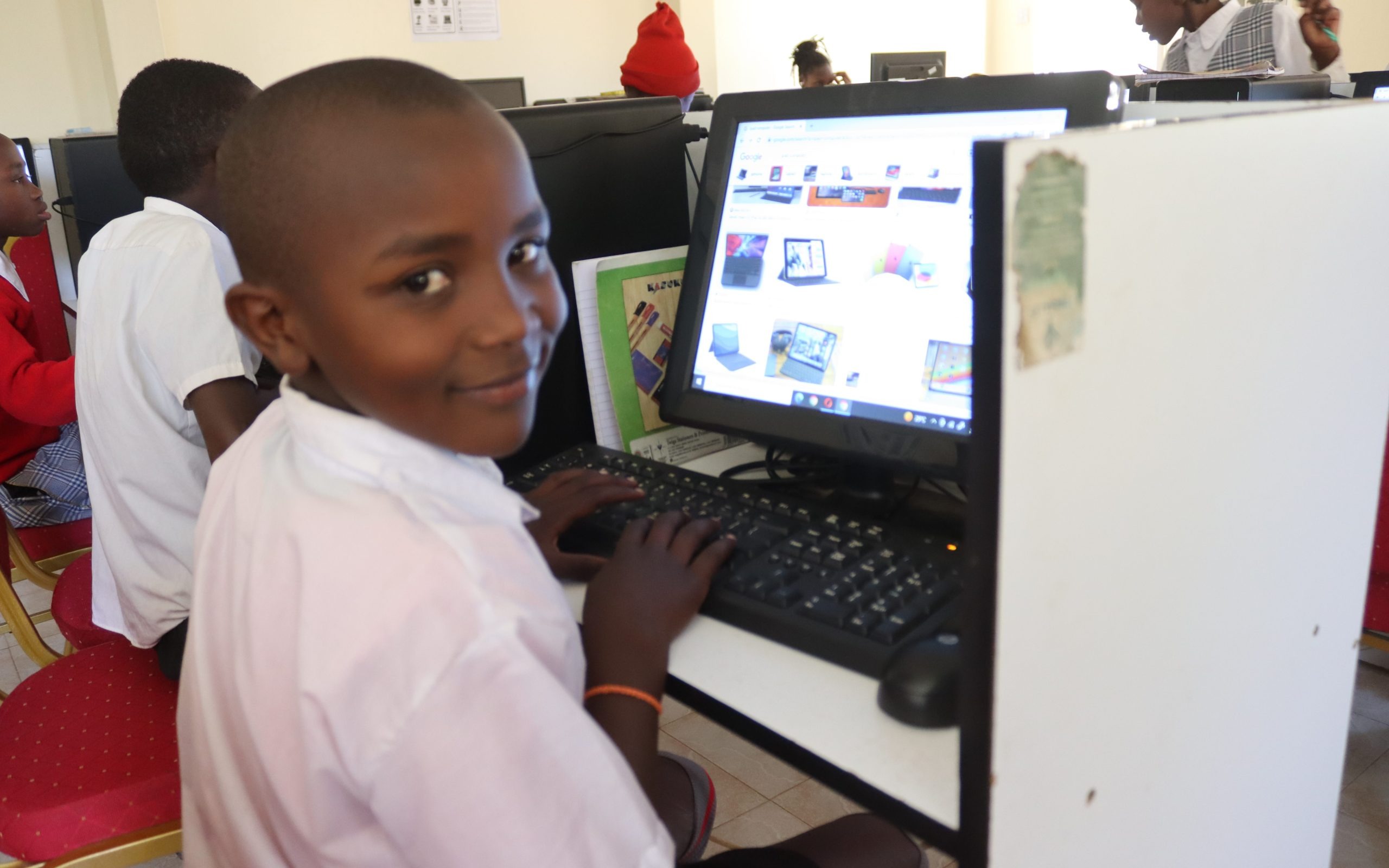
Google Workspace for Education is quietly reshaping how Ugandan schools teach, learn, and manage daily operations. But how far has this shift reached?
Uganda’s education system serves over 15 million learners across primary, secondary, and tertiary levels. The Ministry of Education and Sports supervises more than 13,000 government-aided schools and numerous private institutions.
Despite this national reach, structural and resource-based challenges continue to disrupt learning.
Many classrooms accommodate more than 70 students. Chalkboards remain the primary teaching tool in rural regions.
Headteachers still process exam records and school finances manually. While some urban schools have experimented with digital learning, adoption remains scattered and uncoordinated at the national scale.
The 2020 COVID-19 lockdowns exposed the system’s digital vulnerability.
Schools closed for nearly two years, one of the longest closures globally. Teachers struggled to maintain a connection with their learners.
At the same time, public demand for online alternatives grew louder. Something had to give.
This is where technology’s role becomes urgent. Not in the abstract, but in practical deployment: reducing paperwork, enabling remote learning, simplifying communication, and keeping students engaged, without exhausting school budgets or staff capacity.
You might ask, Isn’t this already happening in Uganda?
Some progress has been made, yes. However, for many schools, especially in rural districts, structured digital systems remain out of reach. They need platforms designed for education, backed by expert support, and scalable without hidden costs.
Education and ICT by the numbers in Uganda
Uganda’s teacher capacity shapes daily classroom realities.
The pupil-to-teacher ratio in primary remains high by international standards, a structural pressure felt most in government schools, as tracked by the UNESCO SDG 4 country profile.
The profile also reports indicators on teacher qualifications across various levels, an essential baseline for digital upskilling and the integration of classroom technology.
Additionally, the budget analysis from UNICEF’s Education Budget Brief 2022-2023 describes allocation patterns that influence procurement, training, and support for learning tools in public schools.
Connectivity and device access create the practical runway for cloud tools.
By the fourth quarter of 2023, Uganda recorded 16 million mobile internet subscriptions, alongside 15 million smartphones and 25 million feature phones. The market also counted 45 million registered mobile subscriptions.
These figures indicate a widespread reach for lightweight, cloud-based services like Google Classroom, Drive, and Meet, especially in areas where shared devices and mobile hotspots are standard in staff rooms.
Average quarterly data usage continued to rise through 2023, a trend that quietly signals growing comfort with online workflows among both staff and learners. You can probably already guess where this is going.
For you, as a school leader or ICT coordinator, the implication is straightforward.
Teacher development and policy shape readiness, while expanding mobile internet and smartphone penetration create the access layer that Google Workspace for Education uses to deliver daily value in Ugandan schools.
Understanding Google Workspace for Education
Google Workspace for Education is a suite of cloud-based tools developed by Google, designed to support learning, communication, and school management.
It includes email, word processing, video conferencing, cloud storage, and classroom coordination, packaged to fit academic workflows rather than corporate needs.
The core applications include Google Classroom for task and assignment management, Google Meet for live virtual sessions, and Google Docs, Sheets, and Slides for collaborative content creation.
Schools also use Google Drive for secure document storage and Gmail for official school communications. These tools operate together within a closed school domain, allowing administrators to control access and usage policies.
There are four available editions:
- Education Fundamentals (free for qualifying schools)
- Education Standard
- Teaching and Learning Upgrade
- Education Plus
The Fundamentals edition includes all core tools, along with collaborative features that meet the needs of most Ugandan schools, particularly those in the early stages of their digital transition.
Paid upgrades include advanced security controls, detailed analytics, and live stream capabilities, which are typically suited for larger institutions or district-level deployments.
Each version runs on lightweight devices and low-bandwidth connections, making it feasible for settings where computers are shared or where internet quality varies.
This matters.
Many schools operate with limited infrastructure, so solutions must align with those constraints rather than push against them.
For Uganda’s public and private schools, Google Workspace for Education presents a low-barrier entry point to digital transformation.
It supports both administrative and instructional functions, simplifies coordination among staff, and requires minimal hardware investment.
If you’re managing a school network or district, the system’s manageability and cost structure offer real planning advantages.
How Google Workspace for Education Empowers Learning in Ugandan Classrooms
Learning environments reflect the tools available to them.
In Uganda, the demands placed on teachers, learners, and school systems continue to grow, while expectations for performance rise at every level.
Technology alone doesn’t resolve this tension. However, when introduced purposefully, with the proper structure and support, it can transform how education is implemented in daily practice.
1. Learning Delivery and Continuity
Google Workspace for Education enables organised, predictable teaching. This applies regardless of whether classes are held in-person, remotely, or through a blended schedule.
At the core is Google Classroom, a platform where teachers distribute assignments, post learning materials, and monitor submissions in one central hub.
It removes the burden of WhatsApp group chaos and lost paper handouts.
In schools where learners rotate across shifts, especially in the famed new curriculum adopted by the Ministry of Education and Sports, Classroom allows continuity beyond the bell.
A teacher in Kyenjojo can upload a Science lesson on a Monday and know that even students attending the afternoon shift on Wednesday can still access it.
Such flexibility is uncommon in traditional systems.
For remote learning, Google Meet supports virtual instruction, even when teachers use shared smartphones or low-bandwidth modems.
Sessions can be scheduled directly through Classroom or Gmail, with automatic calendar links for learners.
Meetings can also be recorded, allowing students with slower learning rates to revisit explanations at their own pace.
What about learning materials? Google Docs, Slides, and Drive allow teachers to upload, reuse, and adapt resources as syllabus demands evolve.
A PLE English composition guide developed in Nabbingo can be cloned, edited, and re-shared in Kisoro within minutes. That saves time, encourages peer collaboration, and reduces duplication of teaching efforts.
2. Student Collaboration and Engagement
Group work in Ugandan classrooms frequently encounters practical barriers, including limited space, large class sizes, and time constraints.
Google Workspace provides an alternative approach.
Through shared Docs and Slides, students can co-author essays, debates, and presentations, whether they’re at school, home, or a learning centre.
Tools like Google Jamboard make real-time brainstorming possible even in low-resource settings. A debate club at Mengo SS can co-create a pros and cons list for a topic, share it with another school in Iganga, and receive feedback within a single school day.
These tools make peer-to-peer learning more dynamic and more equitable.
Additionally, the commenting features in Docs and Slides provide students with a safe channel to ask questions, suggest edits, or clarify instructions.
That kind of asynchronous interaction is critical in Uganda’s secondary schools, where teacher-to-student ratios are stretched thin.
Engagement also comes from clarity. When a student logs into Google Classroom, they see their assignments, deadlines, and teacher feedback all in one place.
That structure, surprisingly simple, has shown measurable effects on submission rates in schools that have trialed these tools with support from local NGOs and education partners.
3. Teacher Effectiveness and Curriculum Support
Every teacher juggles lesson plans, records, and marking.
Google Workspace helps simplify those tasks. Using Google Forms, teachers can administer quick assessments, quizzes, and feedback surveys.
Results flow directly into Google Sheets, where performance trends can be analysed without manual tabulation.
This kind of automated reporting saves hours. A headteacher in Mbale can now view weekly quiz data from four teachers and compile a performance review without having to flip through notebooks or read SMS chains.
Moreover, curriculum alignment becomes easier. Teachers can create shared folders by subject or year, allowing colleagues to contribute schemes of work, model answers, or past papers.
Schools that operate across multiple campuses benefit from centralised access to teaching content.
An administrator or department head can also monitor resource use, track lesson delivery, and ensure internal quality control, all without physically walking into every classroom.
Ultimately, Google Workspace does not replace the teaching process. It strengthens it by giving teachers space to focus on instruction rather than paperwork and providing students with tools to learn more independently, collaboratively, and consistently.
Simplifying Administration for Ugandan School Leaders
Managing a school extends beyond instruction. Communication, scheduling, compliance, reporting, and coordination take up hours every week.
Google Workspace provides tools that replace fragmented systems, such as manual registers, ad hoc meetings, and WhatsApp chats, with structured, secure digital workflows.
Gmail and Google Calendar form the core communication system. Staff receive official email addresses, allowing school heads to manage internal memos, announcements, and circulars without relying on personal accounts.
Calendar invites for staff meetings, PTA sessions, or Ministry briefings can be scheduled centrally and linked directly to Google Meet when needed. For schools with multiple shifts or departments, this brings order and visibility to daily planning.
When it comes to document handling, Google Drive offers secure storage with folder-based access. School reports, student records, staff evaluation forms, and financial statements can be shared with defined permissions.
That means only bursars access finance folders, and only academic heads edit performance reviews. Each file’s version history remains intact, eliminating disputes over tampering or unauthorized edits.
Recordkeeping becomes even more efficient with Google Sheets and Forms. A school can use Forms to collect student biodata during new admissions or update alumni records for compliance. Responses feed directly into Sheets for sorting, filtering, and reporting. You no longer have to flip through 300 printed forms to prepare a district report.
Additionally, Google Workspace for Education facilitates performance tracking. Department heads can review lesson coverage through shared planning sheets.
Headteachers can inspect exam analysis documents or attendance records remotely, if needed. As a school administrator, you gain oversight without micromanaging. And for larger institutions, this helps standardise operations across campuses or boarding/day sections.
Barriers to Adopting Digital Systems in Ugandan Schools
Digital literacy among educators remains limited across many regions. While some urban private schools employ ICT coordinators, the majority of government-aided and rural schools still operate without dedicated IT staff.
Many teachers, especially those in lower secondary or primary education, have limited exposure to cloud-based systems. For them, logging into a shared platform, managing folders, or distributing digital assignments can feel like a foreign task.
This doesn’t stem from unwillingness. It reflects a training gap that hasn’t yet been addressed at the national scale.
Infrastructure and cost limitations compound the problem.
A stable power supply is not guaranteed in many districts. Some schools share two or three computers across an entire teaching staff.
Even in urban areas, devices are often personally owned and used by teachers who pay for their own data bundles.
High-speed internet remains costly, and most schools rely on mobile hotspots, which are prone to throttling and downtime. The basic hardware and connectivity layer, without which cloud tools cannot function, is inconsistent at best.
Institutional rigidity also plays a role. Many Ugandan schools still manage academic records, budgets, disciplinary cases, and reporting with handwritten ledgers and paper files.
This paper-first culture is deeply embedded, especially among senior administrators. Processes such as lesson plan review, markbook inspection, and attendance tracking remain tightly bound to hard-copy formats.
Shifting to digital systems, even partially, requires unlearning workflows that have been in place for decades, even if they have been inefficient.
Fragmented policy guidance further complicates adoption. While Uganda’s ICT in Education policy outlines broad digital inclusion goals, implementation at the school level remains unstructured.
There is no mandated digital system for managing school records. District education offices interpret ICT targets variably. As a result, schools face uncertainty about what counts as compliant usage and which tools align with ministry directives.
Without a consistent implementation framework, efforts remain isolated—effective in some places, abandoned in others.
Making It Work Locally: Why Othware Uganda Is a Critical Partner
Introducing a digital platform into a school system is a long-term operational shift, and in Uganda, this shift requires contextual infrastructure, familiarity with local policies, and sustained local support.
The Ministry of Education and Sports has issued multiple policy directives calling for digital integration; however, the gap between the mandate and its execution remains wide. That space is where technical implementers operate.
For digital platforms like Google Workspace to serve schools effectively, they must be translated into the rhythms, constraints, and administrative logic of Uganda’s school system.
That includes aligning digital workflows with term structures, ensuring tools function reliably in low-bandwidth environments, and designing training schedules that respect a teacher’s daily workload.
Moreover, implementation partners must understand how schools interact with district inspectors, private education associations, UNEB timelines, and parent accountability structures.
Our Implementation Procedure
We begin every engagement by understanding the institution’s environment.
Before deploying Google Workspace for Education, we assess the availability of devices, staff digital skills, internet reliability, and existing workflows.
This allows us to configure domains, accounts, and access levels that align with the school’s actual structure — departments, streams, and reporting lines — rather than forcing a one-size-fits-all setup.
Training sits at the core of our approach.
We design modular sessions that match the Ugandan academic calendar, teacher workloads, and administrative obligations. Our trainers guide staff through practical tasks, such as creating a termly Google Classroom, sending student reports via Gmail, or storing UNEB result summaries in shared Drive folders.
This method converts abstract technology into daily routines that teachers can trust and rely on.
We also help schools plan for their infrastructure and connectivity needs. Many of the institutions we support operate on mobile internet or shared devices.
We configure lightweight setups, advise on cost-effective data usage, and activate offline features where possible. Our goal is to ensure that tools remain usable throughout the term, even in environments with limited connectivity.
Support does not end after setup. We maintain an active support relationship with our partner schools, providing technical assistance, updates on new Workspace features, and guidance on data security and privacy compliance under Uganda’s Data Protection and Privacy Act. This continuity enables schools to gradually and sustainably expand their use of Google Workspace.
A Call to Digitally Empower the Next Generation
The structure of a school system is only as strong as its ability to adapt. In Uganda, this adaptation begins with confronting operational realities: crowded classrooms, strained administration, uneven access to resources, and building from within.
The path forward will not be defined by technology alone, but by the people and institutions ready to integrate it responsibly.
What matters now is capacity. The capacity to make systems understandable. The capacity to bring staff along, slowly and patiently. The ability to create small tools that solve significant problems.
Every school in Uganda, whether government-aided or private, has already begun making difficult trade-offs. The challenge is no longer whether to digitise. It is about digitising in a way that remains accountable, predictable, and usable by real staff in real-world conditions.
That work does not belong solely to policymakers. It belongs to every institution prepared to invest in systems that will not be replaced with the next funding cycle. Systems that grow with schools. Systems that earn their place in the school timetable, not just the budget.
If you lead a school, coordinate ICT, or support digital learning programs, we invite you to speak with our team.
Schedule a consultation with Othware Uganda to discuss implementation, training, and support.
🔗 Book your meeting here: www.othware.co.ug/contact

Passionate about tech, a better writer than talker. Also a Content writer @ Othware.